CLOTHEMEFOR · EST. 2026 · A WARDROBE OS

Your wardrobe,
finally remembered.

Photograph what you own. ClotheMeFor learns your taste, your friends, your weather — and tells you, every morning, exactly what to wear.
Free to try · No card · Your clothes stay private
SHIRT
COAT
CHINO
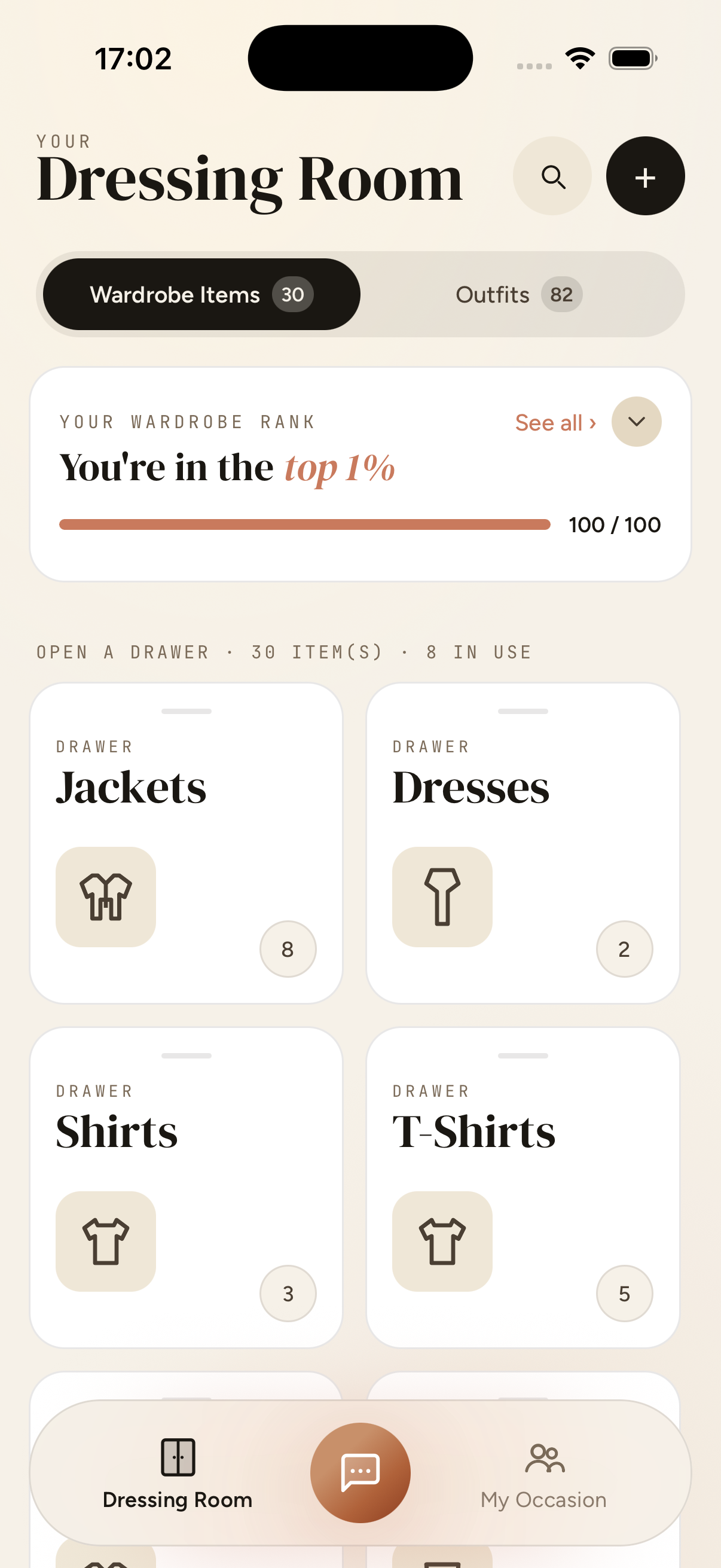
Your Dressing Room — wardrobe drawers organised by type
30s
to add one item — snap, swipe, done
100%
private — your closet never leaves your phone
3×
faster mornings, according to early users
combinations from the clothes you already own
THE SYSTEM · THREE ROOMS, ONE WARDROBE

A closet you can talk to,
that knows the room you're walking into.

ClotheMeFor is organised the way you actually get dressed — what you own, who's asking, and where you're going. Three calm surfaces, one tap apart.

Dressing Room
01 · DRESSING ROOM

Every drawer, indexed.

Photograph each piece once. We auto-tag the type, colour, material and season — then file it where you'd expect to find it.
Chat assistant
02 · ASK CLOTHEMEFOR

An assistant with good taste.

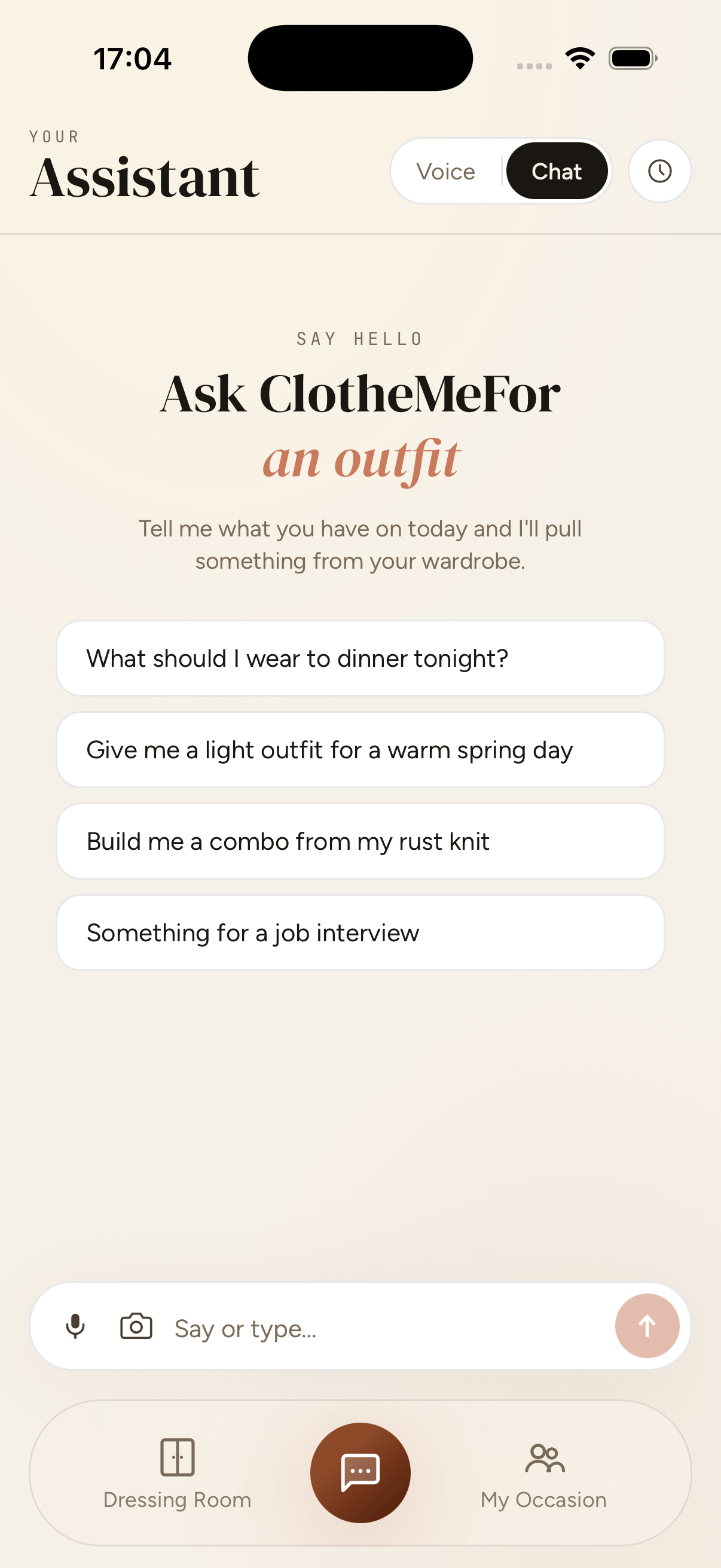
“Something for a job interview.” “Build me a combo from my rust knit.” Voice or chat. The answers come from your wardrobe, not a catalogue.
My Occasion
03 · MY OCCASION

Plan for the people in the room.

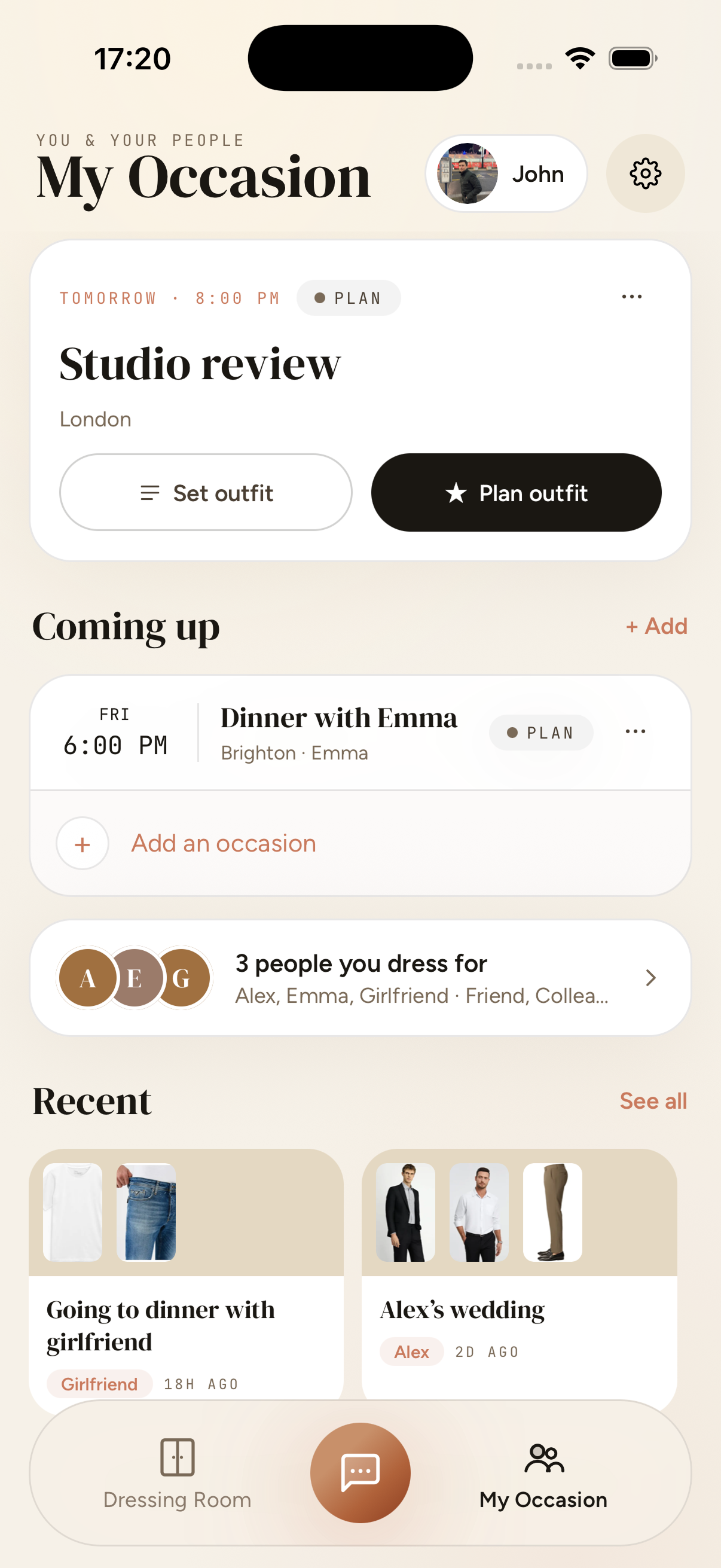
Studio review tomorrow. Dinner with Emma on Friday. Tell the app who you're dressing for — it remembers.

HOW IT WORKS

Three quiet steps.
No spreadsheets.

Most "wardrobe apps" ask you to fill out a form. ClotheMeFor learns by watching: you snap a photo, you wear the thing, it remembers. The intelligence accrues in the background.

STEP 01~ 30s / ITEM

Photograph what you own.

Open the camera, tap once per item. ClotheMeFor auto-tags type, colour, material, season. No manual fields, no barcode hunts.

STEP 02FIRST WEEK

Tell it about you.

Three words for your style. A few vibes you gravitate to. The people you dress for. The app builds a model of your taste as you go.

STEP 03EVERY MORNING

Ask, then get dressed.

“What should I wear to dinner tonight?” The Assistant pulls a full outfit from your wardrobe, factoring in weather, occasion and who'll see it.

THE ASSISTANT · TWO MODES

Type when you're thinking. Talk when you're running late.

CHAT · SAY HELLO

Ask, and it pulls a fit from your closet.

Something light for a warm spring day?
Try your white crew tee, the beige chinos, and the black slip-ons you wore last Thursday. 91% match.
Build me a combo from my rust knit.
Chat assistant
VOICE · TAP TO SPEAK

Hands full. Coffee brewing. Just ask.

Voice mode listens, thinks out loud, and offers an outfit you can actually find in your wardrobe. Interrupt it any time — same as a person.

Voice assistant
MY OCCASION

You don't get dressed in a vacuum. You dress for someone.

Add the people you dress for — a partner, a manager, a tough room. Plan an outfit per occasion and the Assistant will weight its suggestions accordingly. Studio review reads differently than dinner with Emma.

UPCOMING · THIS WEEK
TOMORROW · 8:00 PM
Studio review
London · Colleagues
PLAN
FRI · 6:00 PM
Dinner with Emma
Brighton · Emma
PLAN
SAT · 2:00 PM
Alex's wedding
Cotswolds · Alex
SET
A
E
G
3 people you dress for —
Alex, Emma, Girlfriend · Friend, Colleague…

Plan an outfit. Or have one planned.

Tap a future occasion and the Assistant assembles three options to choose from — including a clear “why this” note that explains the call. You're never staring at an empty closet at 7:42 a.m.

Plan tomorrow's outfit →
STYLE SIGNATURE

The more it knows you,
the better it dresses you.

Your style signature is built quietly — from the items you log, the outfits you actually wear, the suggestions you accept and the ones you swipe past. Edit it any time. Nothing is shared, ever.
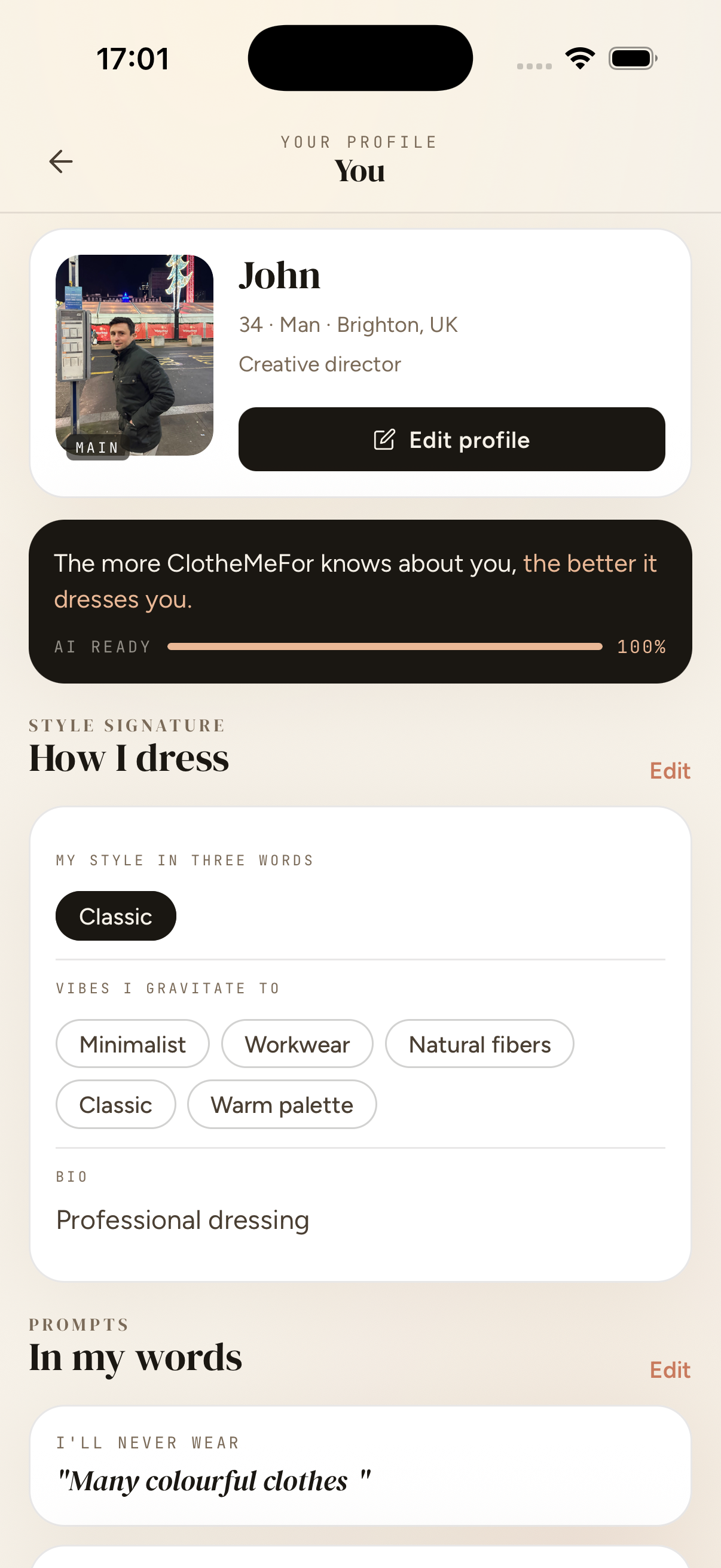
Classic Minimalist Workwear Natural fibers Warm palette + Add a vibe
Top 1%
Wardrobe completeness — your AI is fully briefed
82.
Outfits remembered — every fit you've worn, ever
Your Profile — style signature
SPEAKS YOUR LANGUAGE

Get dressed in ten languages.

ClotheMeFor talks to you in whatever language feels like home — by voice or text. Change it any time from Settings → Preferences.
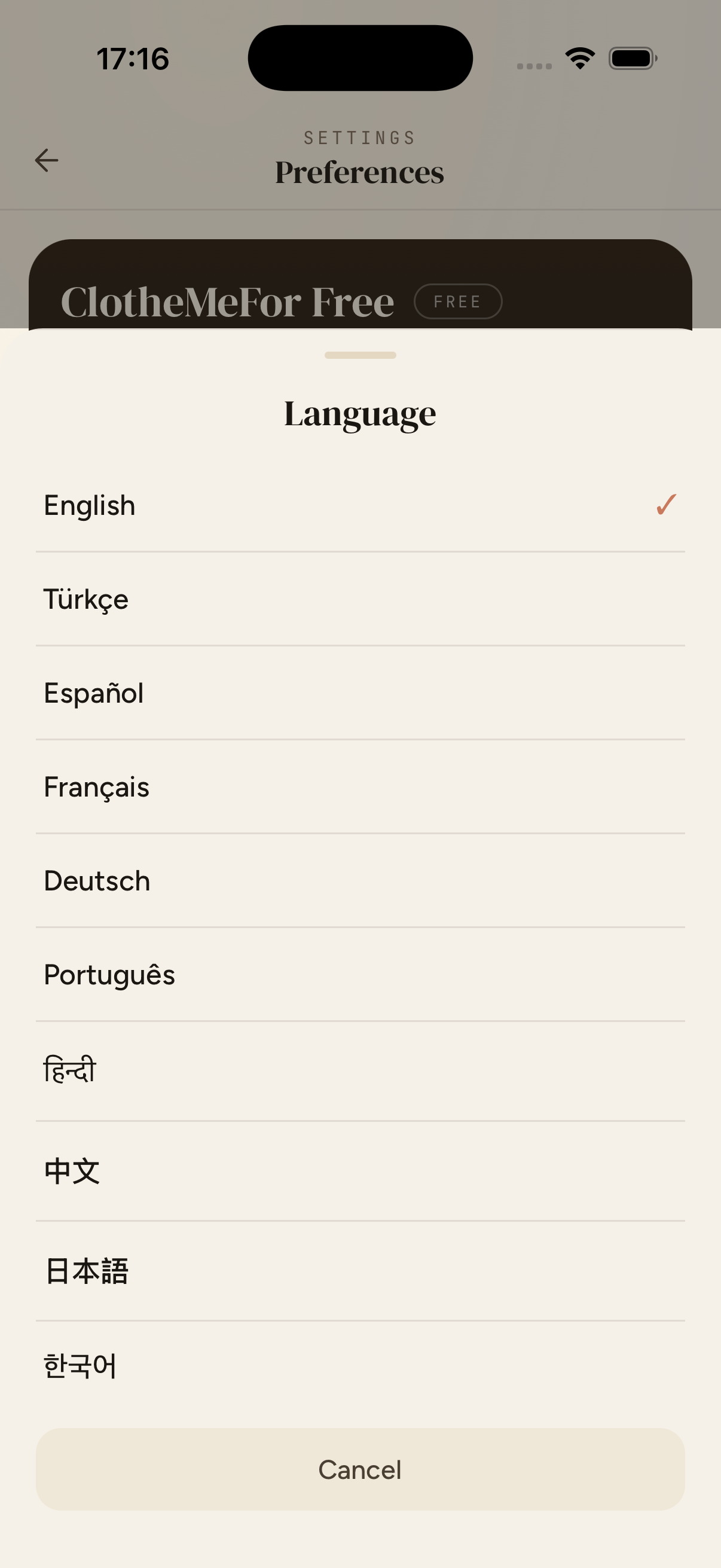
EnglishEN
TürkçeTurkish
EspañolSpanish
FrançaisFrench
DeutschGerman
PortuguêsPortuguese
हिन्दीHindi
中文Chinese
日本語Japanese
한국어Korean
10 LANGUAGES Voice & text · auto-detected on first launch
Language picker — English, Türkçe, Español, Français, Deutsch, Português, हिन्दी, 中文, 日本語, 한국어
HELP CENTRE

A few things people ask.

Getting started

How do I add clothes to my wardrobe?

Tap the Dressing Room tab, then the + button at the bottom. Choose a source — your camera, photo library, or Google Shopping. ClotheMeFor automatically tags each item with colour, fabric, and occasion. Most people finish their first wardrobe in two afternoons.

What is the Dressing Room?

The Dressing Room holds everything you own and every outfit ClotheMeFor has put together for you. Open a category door to browse just your tops, shoes, or outerwear, or switch to Combos to see saved outfits.

How does ClotheMeFor suggest outfits?

Tell ClotheMeFor where you're going, who you're meeting, or what the weather's like — in plain language, by voice or text. It picks from your real wardrobe, remembers what you've worn recently, and considers the people in your life.

Can I edit an item after it's been tagged?

Yes. Tap any item in your wardrobe to open its detail view. You can change the name, category, colour, season, and stylist's note. Your edits are saved immediately.

Privacy & data

Where are my photos stored?

Photos are uploaded to a secure private storage bucket. Only you can access them — they are never shared with or visible to other users.

Does ClotheMeFor share my data with third parties?

ClotheMeFor uses third-party AI services for outfit suggestions, wardrobe tagging, and voice input and output. All are governed by strict data processing agreements and no provider uses your data to train their models. We never sell or share your data for advertising. You can review exactly what is shared in Settings → Your data & AI.

How do voice features work?

Hold the microphone button to speak to the AI stylist. Your audio is sent to a third-party voice service for speech-to-text transcription, then the AI's reply is converted back to speech. Audio recordings are not stored after transcription. Voice features require AI data consent, which you can manage in Settings → Your data & AI.

What is AI data consent and can I revoke it?

Before using the AI assistant or voice features, ClotheMeFor asks for your explicit consent to share data with third-party AI services (as required by Apple). You can revoke this consent at any time in Settings → Your data & AI — revoking pauses the AI and voice features but does not delete your wardrobe data.

Can I delete all my data?

Yes. Go to Settings → Session → Delete account. This permanently removes your account, wardrobe, and all associated data. This action cannot be undone.

CLOTHEMEFOR.APP · EVERY MORNING, EASIER

Your wardrobe,
finally remembered.

Try ClotheMeFor for a week. If it doesn't make at least one morning calmer, walk away. We don't even take your card to find out.

Download for iOS Android — coming soon

Free to try · no card · your clothes stay private